Your customer calls with a report, not a complaint.
Right now a “my Internet is slow” call starts from nothing. Your agent asks twenty questions and still cannot tell whether the line is bad or the router is in the wrong room. Diagnostix360 lets the customer run a check on their own phone first, then send one page that answers it.
The first ten minutes of the call disappear.
This does not replace your NOC, your CPE platform or your own telemetry. It fixes one specific thing: the customer arriving with nothing but a feeling.
Your agent stops rebuilding the story from scratch and starts on the part that actually needs a human.
Delay, packet loss, DNS and stability, measured — instead of “it feels slow sometimes”.
When the fault is a router in a cupboard, the customer can see it, move it and retest before anyone drives out.
Second line gets a structured report instead of a free-text note from whoever picked up.
The check is identical whoever runs it, so cases stop depending on which agent answered.
They can see what was tested and what to try, which is a very different conversation from “we see no problem on our side”.
- “It’s slow.” Since when? Which room? Wired or Wi-Fi?
- Agent guesses, tries a line test, sees nothing wrong
- Customer insists, agent books a visit to be safe
- Technician arrives, moves the router, closes the ticket
- Agent opens one page before saying hello
- Line is fine, Wi-Fi in the bedroom is weak — visible in seconds
- Customer already tried the suggested fix and retested
- Call ends, or escalates with evidence attached
The customer does the first ten minutes. Your team does the rest.
They run the check
They pick what is actually bothering them and run it in the room where it goes wrong.
The app follows the path
Phone, Wi-Fi, router, Internet, DNS, and how steady it all stayed while measuring.
They get something to try
One clear action, then a retest. A good share of tickets end right here.
You get the page
If they still need you, they send the report. Your agent reads it before the call starts.
Simple enough for your customer. Detailed enough for your second line.
The short walkthrough shows the diagnosis finishing and the weak-Wi-Fi finding appearing. The Customer and Technical samples below use that same demo run.
A small independent team, and a method you can check.
Diagnostix360 is not a rebranded speed test. The measurement engine tells a blocked DNS resolver apart from real packet loss, keeps a session intact when the phone moves between Wi-Fi and mobile data, and refuses to call a filtered reference a fault. That took two years.
You do not have to take any of that on trust. The method is published, every sample report on this page is a real unedited export, and the raw per-cycle CSV is there if you want to check the arithmetic yourself.
Direct contact, no queue
Pilot questions go straight to the people who build it. No account manager, no ticket system, no contract to sign before you can try it.
Get in touch →Every line above is true of the shipping app today. If a claim here does not hold up in your pilot, tell us and we will either fix it or remove it.
These are real reports, not marketing renders.
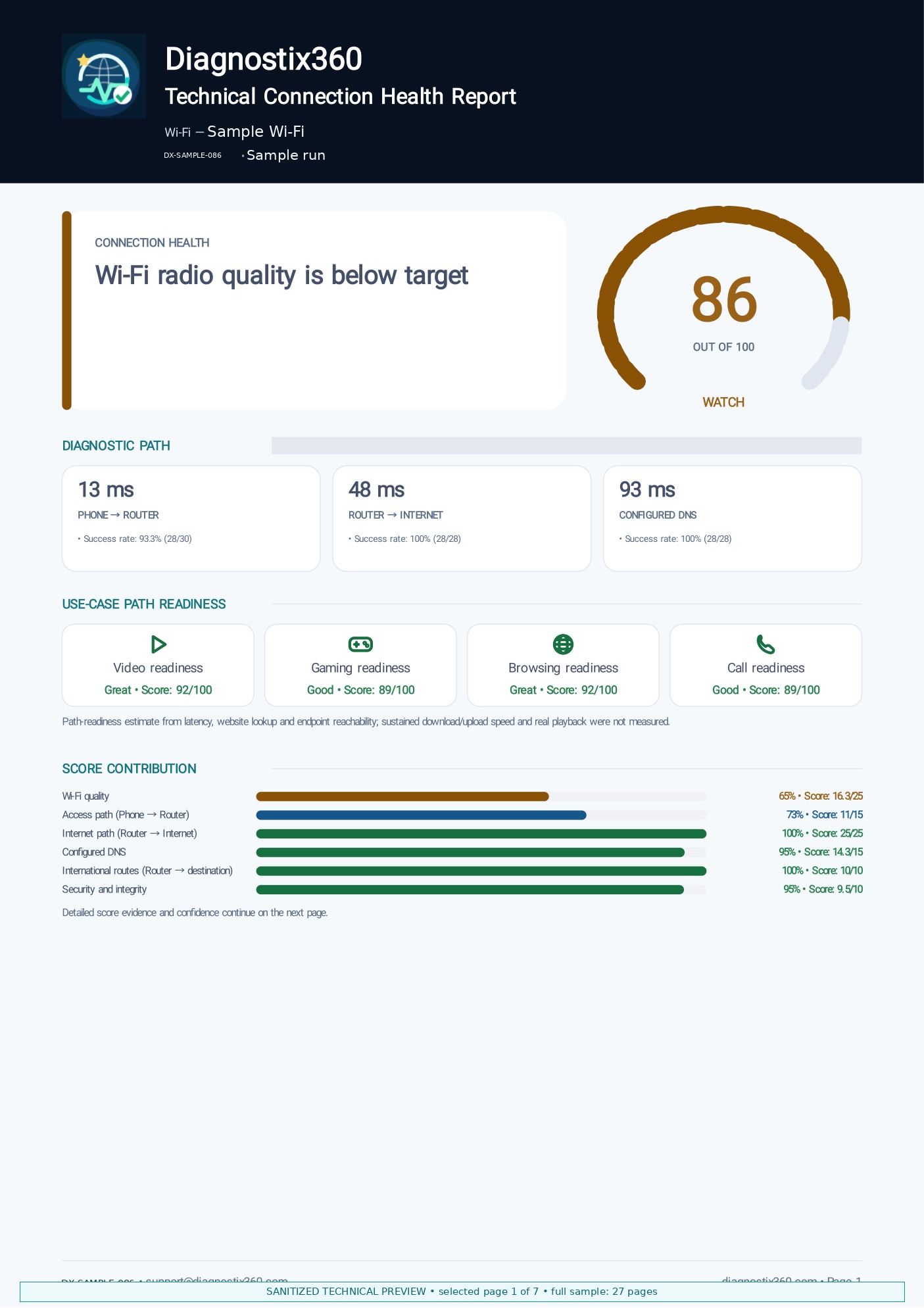
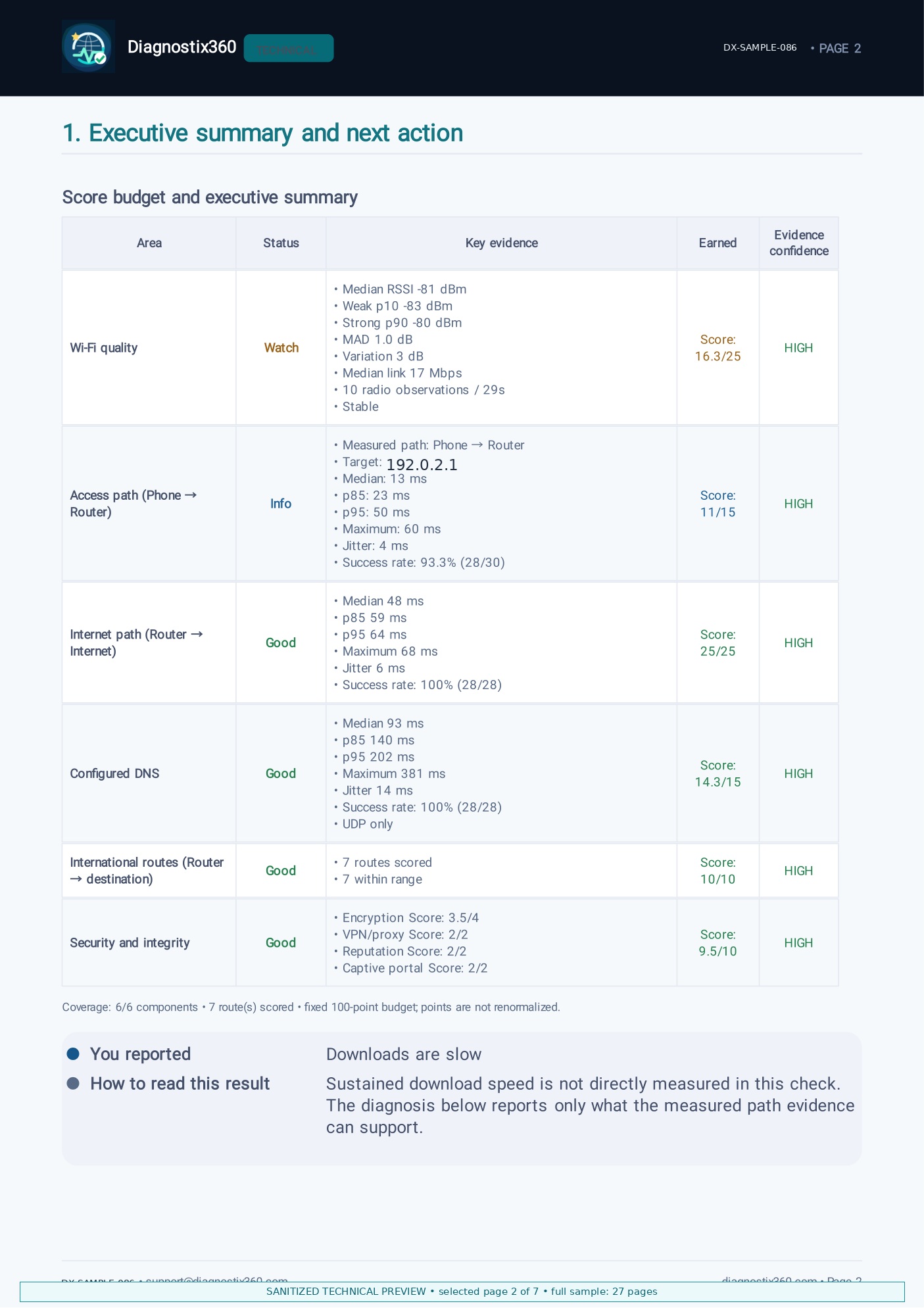
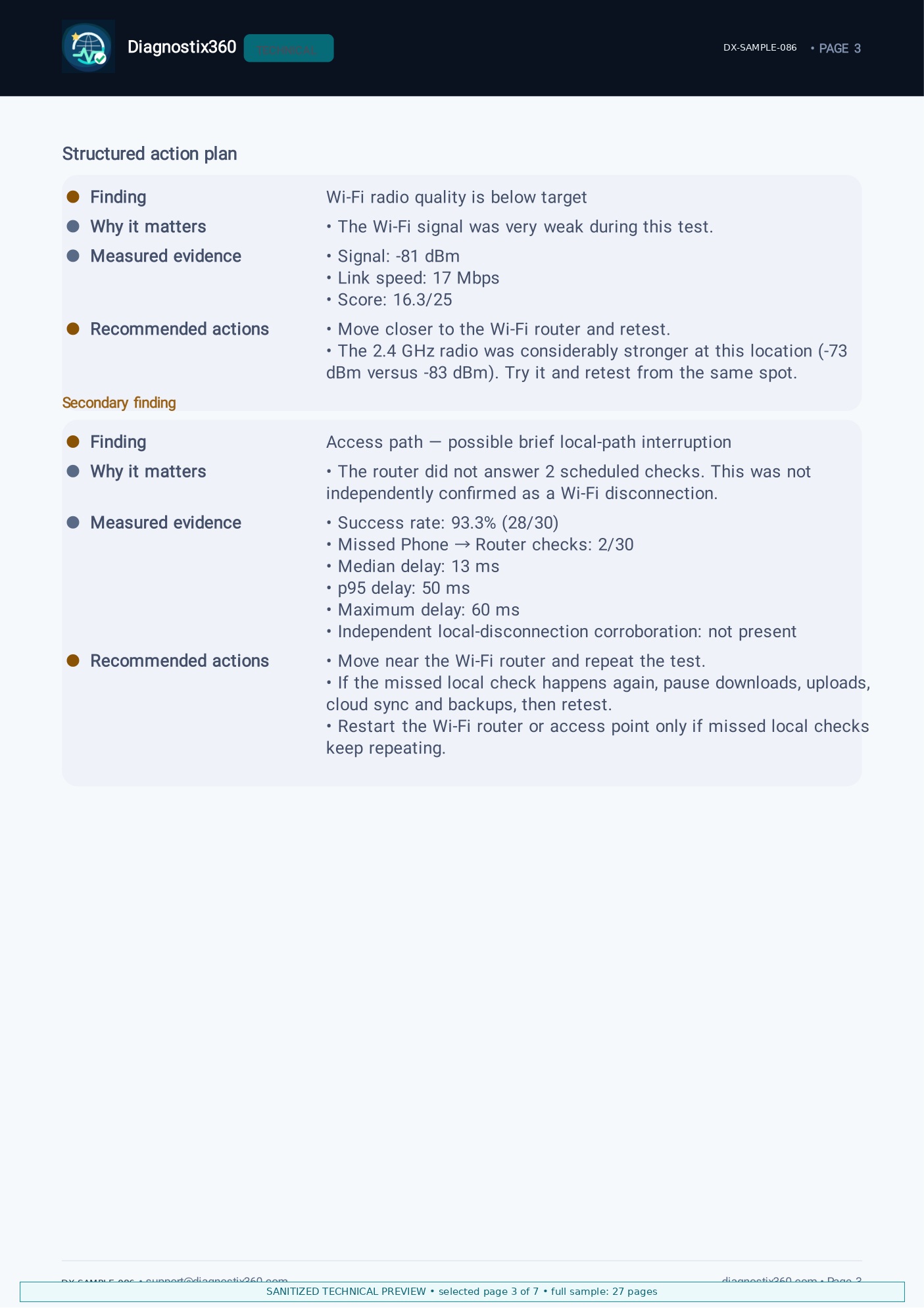
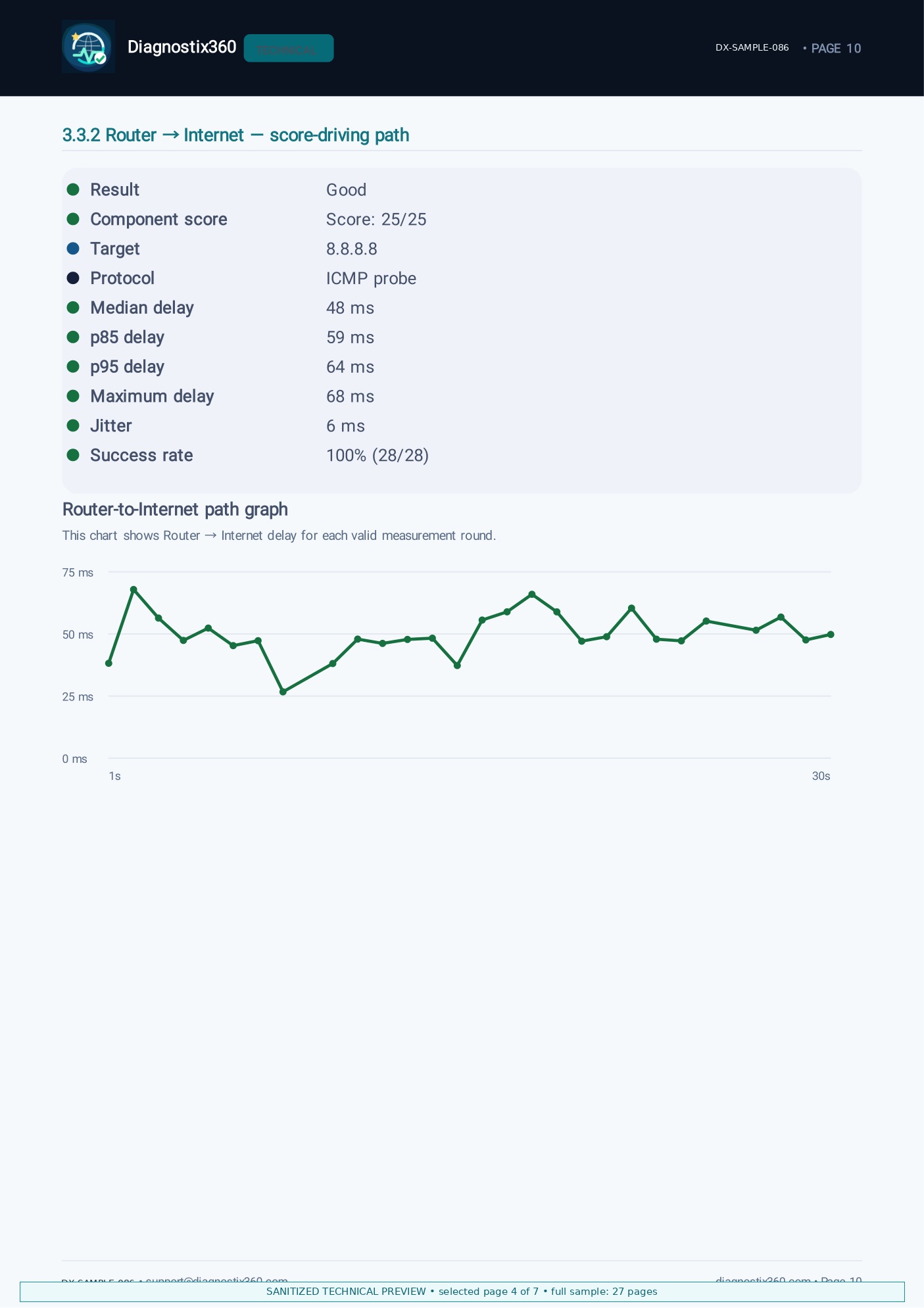
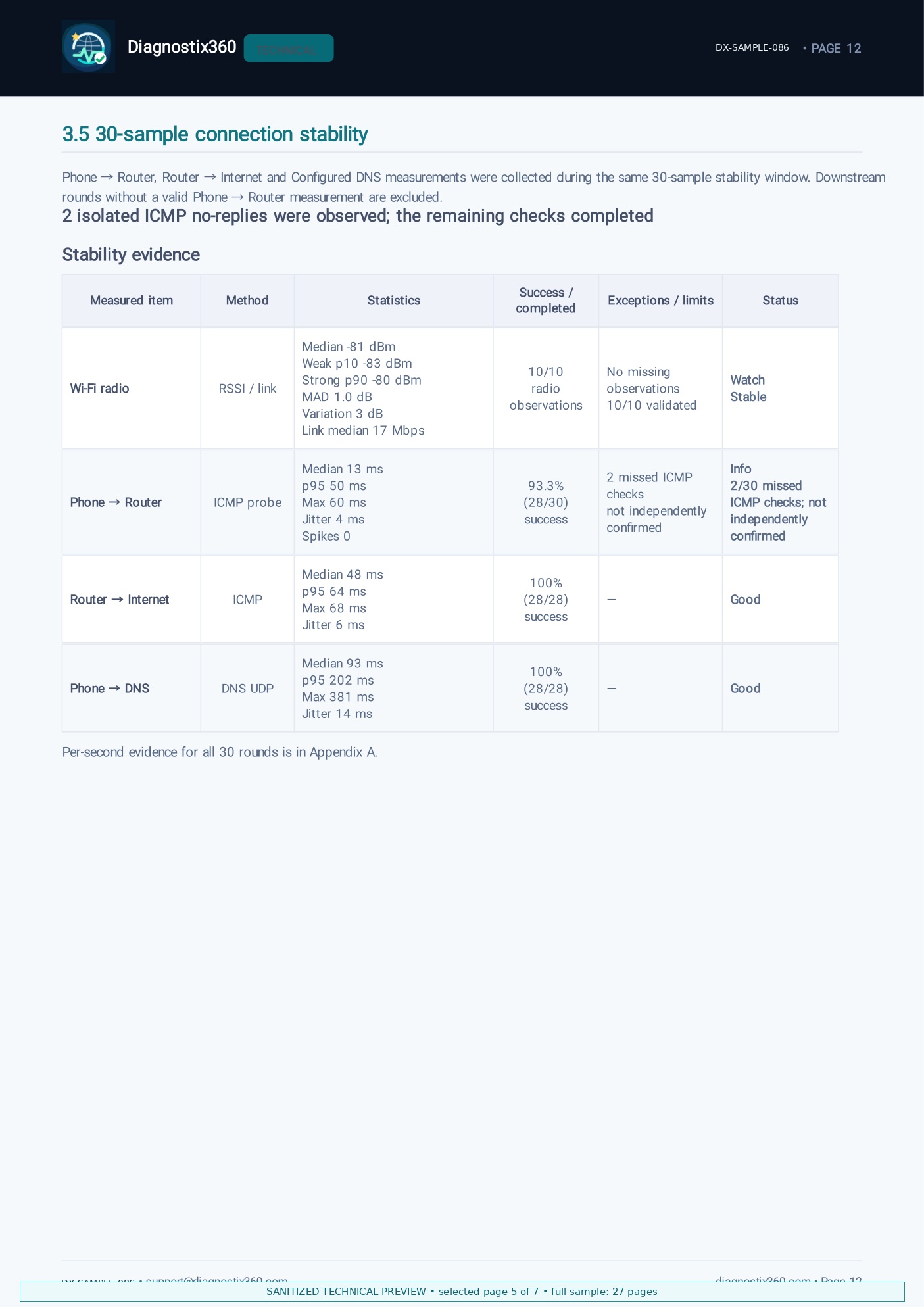
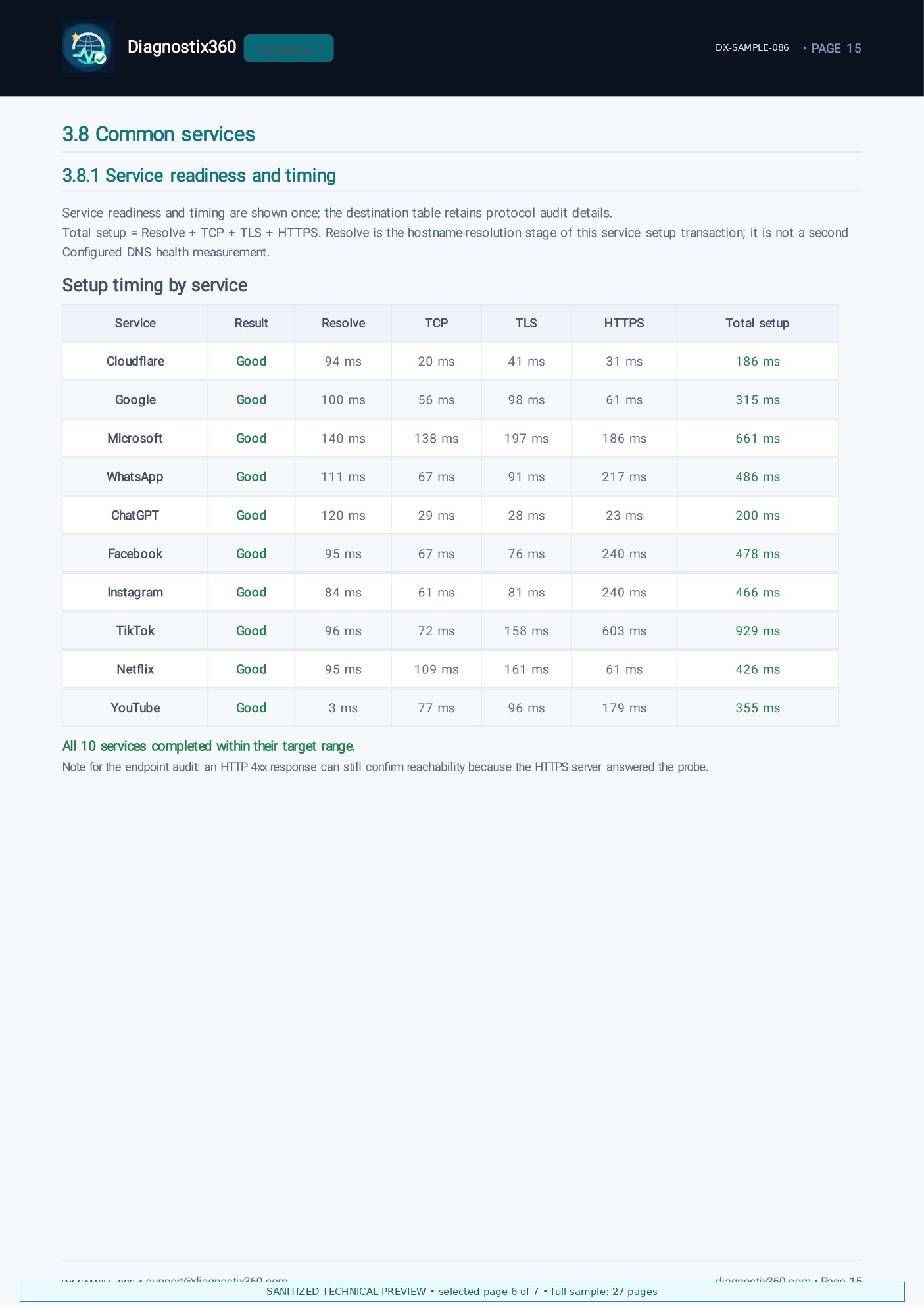
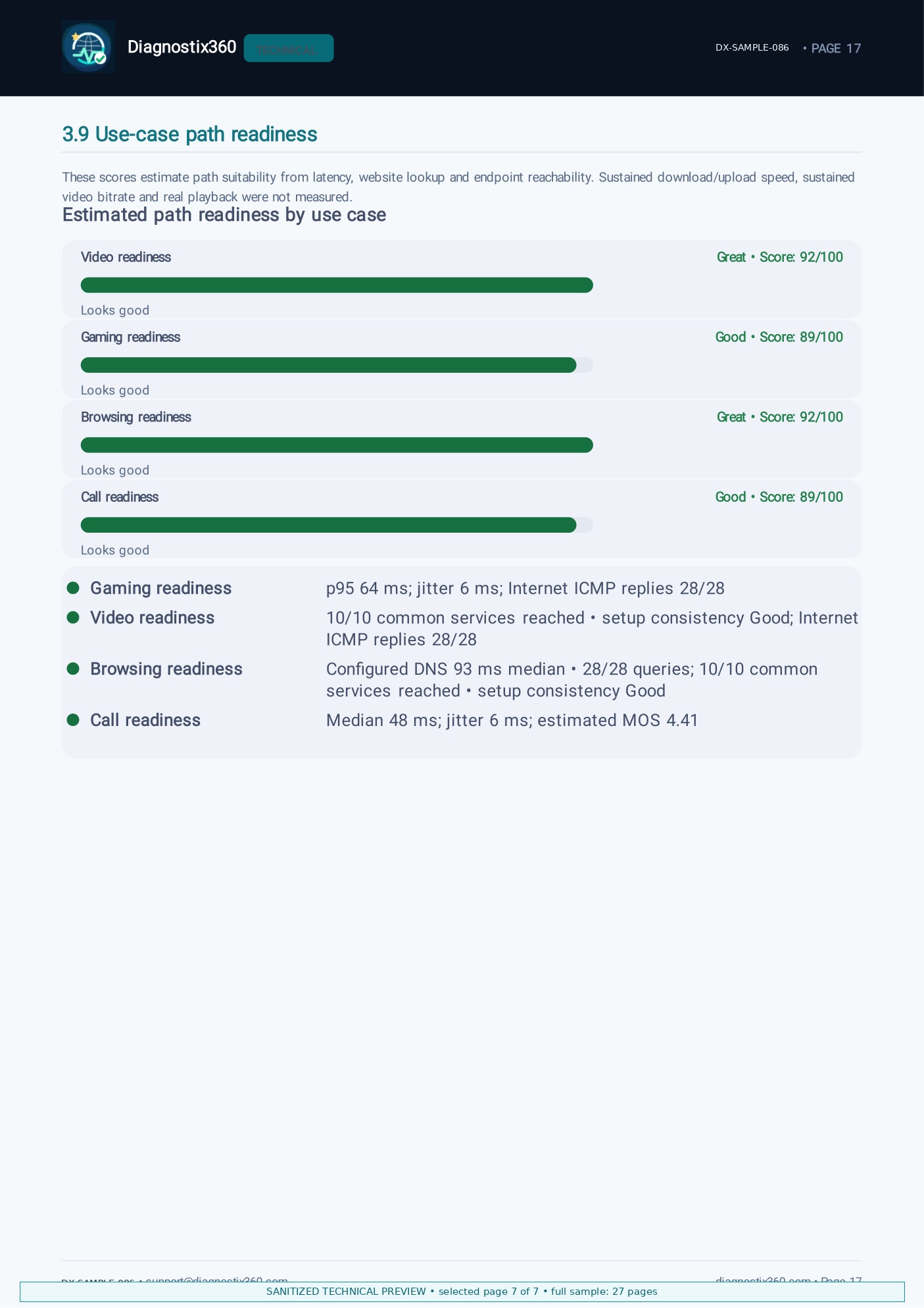
See exactly what your support team could receive. The Customer sample is the complete one-page report. The Technical preview contains seven representative pages from a real 27-page sample; full Technical Reports are typically about 20+ pages depending on the evidence collected.


Seven representative pages, not the whole report.
The preview includes the overall score, executive summary, action plan, Internet-path graph, 30-sample stability evidence, common-service timing and use-case readiness. The full Technical Report is more exhaustive and varies by run. It is typically about 20+ pages; this real sample contains 27 pages.
Do not commit to a pilot. Just try one ticket.
Pick one open “my Internet is slow” case. Ask that customer to run the check and send the report. Read it before your agent calls them back. That is the whole test, and it costs you one ticket.
If it does not save your agent time, tell us and we stop there. If it does, we can talk about the rest — your logo on the reports, a ticket reference on each session, and getting them to your desk instead of over WhatsApp.
Free while Diagnostix360 is in its first release. No licence, no contract, nothing to install on your network.
Useful phone-side evidence. Your network tools remain the authority for your network.
Diagnostix360 helps narrow the investigation and improve the support conversation. A single run does not prove contractual ISP fault, replace provider telemetry or act as an SLA measurement.